The eGovPH app is the government’s “super app” built by the Department of Information and Communications Technology (DICT) to bring national and local services into one login. Its most-used feature is the digital National ID, but by 2026 it also carries NBI eClearance renewal, eTravel registration for arriving and departing passengers, and links to several agency records. It does not replace every agency portal, though, and knowing where it stops will save you a wasted trip.
What the eGovPH app is
eGovPH is a free app published by the DICT for Android and iOS, with an official website at e.gov.ph. Rather than being one agency’s service, it acts as a front door. After you verify your identity, the app shows government IDs and records connected to you, and it lets you start certain transactions without visiting an office.
Because it relies on identity verification, the app works best for people already registered in the Philippine Identification System (PhilSys). If you have not registered yet, see our PhilSys National ID guide first.
The digital National ID inside the app
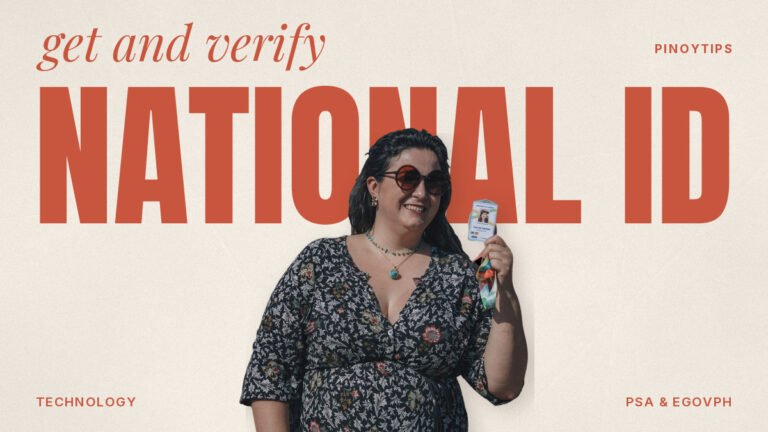
The digital National ID is a version of your PhilSys ID displayed in the app, with a QR code that verifiers can check. PSA treats the physical card, the printed ePhilID, and the digital version as valid formats of the National ID, all subject to authentication. Verifiers can scan the QR through the official National ID Check service.
In practice, this helps when the physical card is late or still at home. However, some counters still prefer a physical ID or ask for a second one. When in doubt, bring the card or the printed ePhilID too.
NBI eClearance renewal through eGovPH
On 6 July 2026, the NBI and DICT launched NBI eClearance on the eGovPH Super App. According to the NBI announcement, eligible verified users can renew an NBI clearance in as little as five minutes and retrieve a digital copy. This is a renewal service, so first-time applicants still go through the NBI clearance portal and a branch for biometrics.
Eligibility depends on your NBI record. If your previous clearance had a “HIT” or your details changed, expect the app to send you back to the regular process. Our NBI clearance guide covers the full branch route.
eTravel for passengers
The eTravel system, the arrival and departure registration for travelers to and from the Philippines, works through the official eTravel site at etravel.gov.ph and through eGovPH. The registration produces a QR code that immigration and quarantine staff may ask to see.
eTravel registration is free. Websites that charge a “processing fee” for it are not the official system. For trip planning beyond registration, see our eTravel and ferries guide.
Agency records you may see in the eGovPH app
Depending on what you have linked and what the agency has connected, the app can surface records from agencies such as PhilHealth, the Land Transportation Office, the Professional Regulation Commission, and offices serving OFWs and senior citizens. The list grows over time, and not every user sees the same set.
Treat these screens as a convenient view. For formal documents, such as a PhilHealth Member Data Record for an employer or a license renewal, the agency’s own portal or branch remains the authority. For example, our guide on the PhilHealth Member Data Record explains how to print the official version.
Setting up the eGovPH app safely
- Download it only from Google Play or the Apple App Store, and check that the publisher is the DICT. The official website at e.gov.ph links to the store listings.
- Register with a mobile number and email address that you control and will keep.
- Complete identity verification. The app typically asks for your National ID details and a face scan.
- Set a strong PIN and turn on your phone’s screen lock, because the app holds identity data.
- Explore the service list, and link only the records you need.
If verification fails, it is often a name or birth date mismatch between what you typed and your PhilSys record. Re-enter details exactly as printed on your National ID.
What still needs a branch or another portal
The eGovPH app does not take over every transaction. Some examples where you still go elsewhere:
- First-time NBI clearance – biometrics at an NBI clearance center.
- Passport applications – DFA appointment system and personal appearance.
- Civil registry documents – PSA outlets or authorized online channels; see our PSA birth certificate guide.
- SSS and Pag-IBIG claims – My.SSS and Virtual Pag-IBIG remain the filing portals.
- Driver’s license renewal – LTO’s LTMS portal plus an appearance for photo and biometrics.
LGU services inside the app depend on whether your city has joined the platform. If your LGU is not listed, use its own office or website.
The eGovPH app for OFWs and Filipinos abroad
For overseas Filipinos, the app’s main value is having identity records reachable from anywhere. A digital National ID on the phone can be a helpful backup if an employer holds your passport or it is away for renewal, although embassies and foreign offices follow their own ID rules. You can complete eTravel registration for a flight home from abroad.
Registration and verification still depend on a mobile number for one-time passwords. If you use a foreign SIM, check whether the app accepts it; if not, keep a Philippine number active with roaming or an eSIM, since losing access to the registered number is the most common reason OFWs get locked out. For membership records abroad, our OWWA membership guide covers the separate OWWA app and renewal process.
Local government services in the app
Besides national agencies, the eGovPH app can host services from local government units that have joined DICT’s platform. Depending on the city or municipality, that may include business permit applications, local certificates, or payment of local fees. Coverage is uneven, though, and many LGUs still run their own websites or Facebook-based systems.
So before you file a local request through the app, check that your LGU is listed and that the service shows your municipality by name. If you are unsure, call the city hall’s business permits or civil registry office and ask which channel they actually process. It is better to spend five minutes on the phone than to wait weeks on a request that the office never received.
Spotting fake eGovPH apps and pages
Scammers copy government branding. Signs of a fake include an app publisher that is not the DICT, a website not ending in .gov.ph, requests for payment to “activate” the digital ID, and Facebook pages offering to “rush” verification for a fee.
The real eGovPH app is free to download and use. If you entered your details on a suspicious site, change your passwords, watch your bank and e-wallet accounts, and report the page to the DICT through its official channels.
Privacy: what you are sharing
Using the eGovPH app means consenting to share identity data across government systems. Read the consent screens before you accept each linked service, and unlink services you no longer use. Avoid showing the digital ID’s QR code on social media, because anyone can scan it.
Keep your phone’s operating system updated. An outdated phone is a greater risk to the data in the app than the app itself.
Troubleshooting the eGovPH app
The app will not accept my National ID number. Check for typos, then confirm your PhilSys registration is complete. A transaction slip alone is not a finished registration.
The digital ID does not appear. It can take time after PhilSys registration. Use the printed ePhilID.
I changed phones. Log in on the new phone and verify again. Remove the app from the old phone before you give it away.
A service is missing. Availability varies by user and LGU. Update the app and check again, or use the agency’s own portal.
Helping parents and older relatives use it
Many seniors are comfortable with Facebook but not with identity apps. If you are setting up eGovPH for a parent, let them complete the face scan and consent screens themselves, because verification checks their own identity. Then write down, on paper kept at home, which mobile number and email the account uses. Afterward, show them how to open the digital National ID quickly, since that is the feature they are most likely to need at a pharmacy, bank, or hospital desk.
Explain clearly that no government office will call to ask for the app PIN or a one-time password. That single rule prevents most account takeovers.
Is the eGovPH app worth installing?
For most people with a National ID, yes. Having the digital ID on your phone is a useful backup, NBI renewals become far quicker, and eTravel is easier to keep track of. Just remember that the app is a gateway rather than a replacement for every agency system. If you are planning several government errands, our document prep checklist helps you sort which ones the app can handle.
Last checked against the official eGovPH website, the NBI release “NBI eClearance now available on the eGovPH Super App” (6 July 2026), and the eTravel portal on October 2026. Features roll out in stages, so the app’s own service list is the most current reference.