Last checked October 25, 2026 against the official eTravel FAQ and the Bureau of Immigration eTravel advisory.
eTravel Philippines is the free government travel declaration that arriving passengers and departing Filipinos complete at etravel.gov.ph or in the eGovPH app, within the 72 hours before travel. This guide covers who must register, how to work out when your window opens, how to fill in each part without typos, what the green and red QR codes mean, and how to fix mistakes or recover a lost QR code.
Quick answer: if you are flying into the Philippines, or you are a Filipino flying out, register on etravel.gov.ph within the 72 hours before your flight. It is free, and you show the QR code to the airline before boarding. Domestic flights, ferries and buses do not need it.
What eTravel Philippines is, and what it is not
The official eTravel FAQ calls it a single data collection platform for people arriving in and leaving the Philippines. Border control, health surveillance and economic statistics all draw on it. In practice, it replaced the separate arrival card and health declaration.
It is not a booking site and never sells flight or ferry tickets. It also does not replace your passport, visa, or the airline’s own check-in. A Manila to Singapore flight needs an eTravel entry; a Cebu to Bohol ferry does not.
Who must register for eTravel Philippines
Under the eTravel FAQ and the Bureau of Immigration advisory, these travelers must register or update their record:
- arriving Filipino and foreign passengers;
- arriving Filipino and foreign crew members;
- departing Filipino passengers.
The FAQ exempts foreign diplomats and their dependents, foreign dignitaries and their delegations, 9(e) visa holders, and holders of diplomatic and official or service passports. Departing foreigners are not on the required list.
Which entry do you need? A traveler-by-traveler table
This table applies the FAQ’s required list to common trips. Find your row before you open the site.
| You are… | Leaving the Philippines | Arriving in the Philippines |
|---|---|---|
| A Filipino on a holiday abroad | Yes, departure entry | Yes, arrival entry for the flight home |
| A Filipino working abroad, returning for a vacation | Yes, when you fly back out | Yes |
| A foreign tourist | Not on the required list | Yes |
| A foreigner living in the Philippines (non-diplomat) | Not on the required list | Yes, when you return |
| Airline or ship crew, Filipino or foreign | Not on the required list unless departing as a Filipino passenger | Yes, using the “Registered Crew” tab when updating |
| Diplomat, dignitary, 9(e) visa holder, or diplomatic, official or service passport holder | Exempt | Exempt |
| Anyone on a domestic flight, ferry or bus | No | No |
If you hold dual citizenship or an unusual visa, follow the passport you will present at immigration, and check with your airline or the Bureau of Immigration if you are unsure which category applies.
When your 72-hour window opens
The FAQ says you may register within 72 hours, or three days, before your arrival in or departure from the Philippines, and that airlines will ask for proof before boarding. The BI advisory words it as “at least 72 hours” before travel. The safe reading of both is simple: register as soon as the three-day window opens, and never leave it for the airport queue.
| Your flight | Window opens (72 hours before) | Sensible time to register |
|---|---|---|
| Manila departure, Friday 23:55 | Tuesday 23:55 | Wednesday morning, at home on Wi-Fi |
| Cebu departure, Monday 06:10 | Friday 06:10 | Friday evening or Saturday |
| Arrival in Manila, Sunday 14:00 (Philippine time) | Thursday 14:00 Philippine time | Thursday evening or Friday, before you pack |
| Arrival after a long connection abroad | 72 hours before the flight that lands in the Philippines | Before your first flight leaves, while you still have reliable internet |
These are worked examples of the 72-hour arithmetic, not official guidance on any specific flight. For arrivals, count back from the time you land, in Philippine time. If your flight is rebooked, update the entry with the new flight and date.
How to complete eTravel Philippines registration
- Open etravel.gov.ph in any browser, since no app download is needed, or use the eGovPH app, which the BI advisory also lists.
- Choose arrival or departure, and enter your details exactly as they appear in your passport.
- Add your flight number, travel date and Philippine address or hotel.
- Answer the health questions truthfully, because the Bureau of Quarantine reviews them.
- Review the spelling of your name, passport number, flight and dates, then submit.
- Screenshot, download or print your QR code before closing the page, and write down your reference number.
You need a working internet connection, because the platform runs only online. Registration is free, and the FAQ asks travelers to report sites that demand payment to the CICC at cicc.gov.ph/report.
Before you tap submit: a field-by-field check
Most red codes and edits come from details copied from memory. Have these documents open while you fill in the form:
| Detail | Copy it from | Common slip |
|---|---|---|
| Full name | The passport data page | A nickname, a missing second given name, or a married name that is not yet in your passport |
| Passport number | The passport data page | Mixing up the letter O and zero, or using an old passport number after renewal |
| Flight number and date | Your e-ticket or booking confirmation | Entering the connecting flight instead of the one that leaves or lands in the Philippines |
| Philippine address | Your hotel booking, or your home address for residents | Leaving it vague (“Manila”) when the form asks for an address |
| Health answers | Your own recent history (the past 30 days) | Rushing through the questions. A wrong answer can trigger a quarantine check, or a false declaration. |
| Email or phone, if asked | An account you can open on your phone abroad | Using a work email you cannot reach while travelling |
Green and red eTravel QR codes
| QR color | Why you get it | What happens on arrival |
|---|---|---|
| Green | Your information is complete and proper | Go straight to immigration |
| Red | Data is incomplete or wrong, or you were sick or exposed to a communicable disease in the past 30 days | Extra Bureau of Quarantine check before immigration |
The BI also warns that foreigners who willfully give false information may be refused entry.
Got a red code? A quick triage
- Check whether the cause is data or health. Re-read your entries. If you find a blank or a typo, the red code is probably a data issue.
- Data issue: open “Edit Registration” through etravel.gov.ph/search with your reference number and date of birth, fix the field, and save. The FAQ says you can change some details until border authorities have processed you.
- Health answer: do not change a truthful answer to get a green code. Expect a short Bureau of Quarantine check before immigration and answer the officer’s questions honestly.
- Not sure: keep the red code, arrive with your passport and booking ready, and follow the quarantine officer’s instructions.
The health declaration inside eTravel
eTravel also carries the Electronic Health Declaration Card (eHDC). The Bureau of Quarantine uses it to watch for infectious diseases and public health emergencies at the border. That is why the health questions matter, and why a recent illness or exposure can turn your QR code red.
Families and children
Every traveler needs their own travel declaration, including children. The eTravel site lets an account owner add family members, and its own on-screen note says both account owners and family members must register their travel declarations individually. A parent can fill in the entries, but check each child’s passport details separately and save each QR code under the child’s name.
Crew members
Arriving Filipino and foreign crew must register too. When they travel again, crew update their record under the “Registered Crew” tab rather than the passenger tab.
Where you will show the QR code
| Point in your trip | Who asks | Have ready |
|---|---|---|
| Airline check-in or boarding gate | The airline, before you board (the FAQ says proof is needed before boarding) | QR code (screenshot or printout) and passport |
| On arrival, if your code is red | Bureau of Quarantine | QR code and truthful answers about your health history |
| Immigration counter | Bureau of Immigration | Passport, plus any visa or return ticket your category needs |
Spotting fake eTravel sites
Lookalike sites charge a “processing fee” for a form that is free. The FAQ names etravel.gov.ph as the only official website.
| Sign | Official eTravel | Likely fake |
|---|---|---|
| Web address | Ends in .gov.ph: etravel.gov.ph | Lookalike names ending in .com, .org, .online or similar |
| Payment | None. The FAQ says it collects no online payment. | Asks for a card, e-wallet or “service fee” |
| How you found it | Typed it yourself, or followed a BI or airline link | A sponsored search ad or a social media post |
| Promises | Just the registration form and QR code | “Express approval”, “guaranteed green code”, or a visa |
If you already paid a lookalike site, register again on etravel.gov.ph (the paid site’s code may not be valid), contact your bank or e-wallet about the charge, and report the site to the CICC.
Fixing eTravel mistakes and common problems
| Problem | What to do |
|---|---|
| Wrong detail after submitting | Open “Edit Registration” and correct it. You can change some details only until the Bureau of Quarantine and Bureau of Immigration have processed you at the border. |
| Lost QR code | Go to etravel.gov.ph/search, enter your reference number and date of birth, and view or download the QR again. |
| Registered twice by accident | Present only one QR code, because showing two can slow your inspection. |
| Red QR code | Use the triage steps above. |
| No internet at the airport | eTravel works only online, so register before you leave for the airport and save a screenshot or printout of the QR code. |
| A site asks for payment | Stop. Official registration is free and etravel.gov.ph is the only official site. Report the site to the CICC at cicc.gov.ph/report. |
| Flight changed or cancelled | Update your record under “Edit Registration” with the new flight and date, and save the new QR code. |
| Travelling again | Update your existing record under “Edit Registration” instead of creating a new one. Crew use the “Registered Crew” tab. |
Worked examples
These are hypothetical trips that apply the rules above. They are not a test we ran.
A round trip from Manila
Say a Filipino flies from Manila to Tokyo on December 20 and returns on December 27. First, she registers a departure entry between December 17 and 20 and shows the QR code at check-in. Then, from December 24, she registers or updates an arrival entry for the flight home. Her sister, a Japanese citizen visiting with her, needs only the arrival entry, because departing foreigners are not on the required list.
A returning worker with a connection
A Filipino working in the Middle East flies home via Singapore, with the Singapore to Manila leg landing on a Saturday afternoon. He counts 72 hours back from that landing time in Philippine time, and registers on the Wednesday evening from his accommodation, before his first flight. He enters the Singapore to Manila flight, not the first leg. When he flies back out two weeks later, he updates his record as a departing Filipino instead of creating a second one.
Domestic trips do not need eTravel
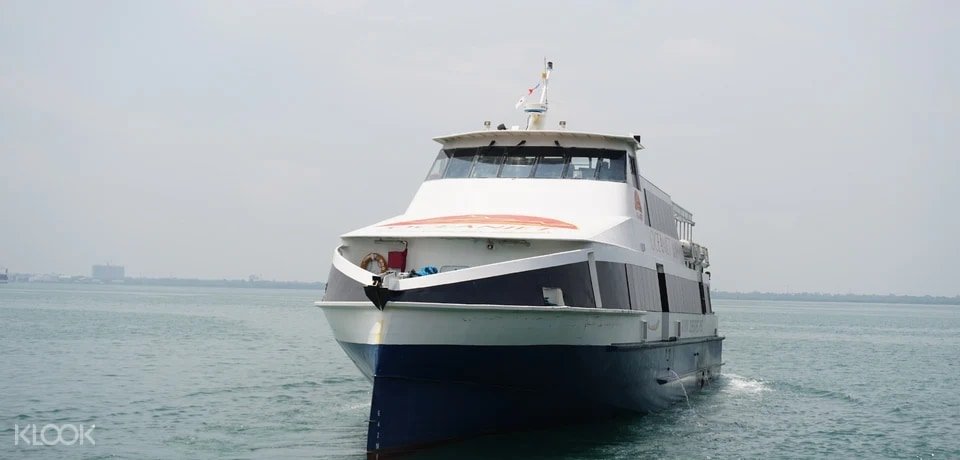
eTravel covers only international arrivals and Filipinos leaving the country. A domestic flight, an inter-island ferry, or a bus needs no eTravel entry. For those trips, bring your ticket and a valid ID, and follow the airline’s or ferry line’s own rules. For details, see our guides:
- 2GO Travel schedule and fares, how to book a 2GO ticket online, 2GO baggage rules, and 2GO terminal and boarding;
- Cebu to Bohol by ferry;
- Clark Airport bus transfers; and
- the full travel requirements checklist for the Philippines.
Common eTravel Philippines mistakes
- Paying a lookalike site: the official registration is free, and etravel.gov.ph is the only website the FAQ recognizes.
- Registering too early: the window opens 72 hours before travel.
- Leaving it for the check-in queue: airport Wi-Fi can be slow, and airlines check proof before boarding.
- Typing a nickname: the name must match your passport.
- Using the wrong flight or date: the entry must match the flight you will actually board, so update it if your booking changes.
- Not saving the reference number: you need it, with your date of birth, to recover a lost QR code.
Tip: save the eTravel QR code, your reference number and your boarding pass in one phone album. If you lose signal at the airport, you can still show everything at the counter.
Frequently asked questions
Is eTravel Philippines free?
Yes. The official FAQ says registration and updates are free and that eTravel does not collect any online payment.
Do I need eTravel for a domestic flight or ferry?
No. It applies to international arrivals and to Filipinos leaving the country.
Can I print my eTravel QR code?
Yes, the FAQ allows a printout as well as a screenshot.
Does eTravel Philippines need an app?
No. It runs in any mobile or desktop browser, although the BI also accepts registration through the eGovPH app.
Do I register again for every trip?
If you already have a record, you can update it under “Edit Registration” for each new trip.
I registered twice. Which QR code do I use?
Either one, according to the FAQ, but show only one during inspection.
Update, October 2026: We added a traveler-by-traveler table, 72-hour window examples, a field-by-field check, red code triage, a where-to-show-it table and fake-site warning signs. We also added the eGovPH app route named in the BI advisory.
Checked October 25, 2026 against the official eTravel FAQ and the Bureau of Immigration eTravel advisory. Rules can change, so confirm on etravel.gov.ph before you fly. This guide is general information, not immigration or legal advice.